
Your LinkedIn ads, on the go.
Check performance, edit ads, and launch new campaigns in seconds. Ads2Go puts your LinkedIn ad accounts on your phone, without the Campaign Manager tab-juggle.
Free on iPhone and Android.
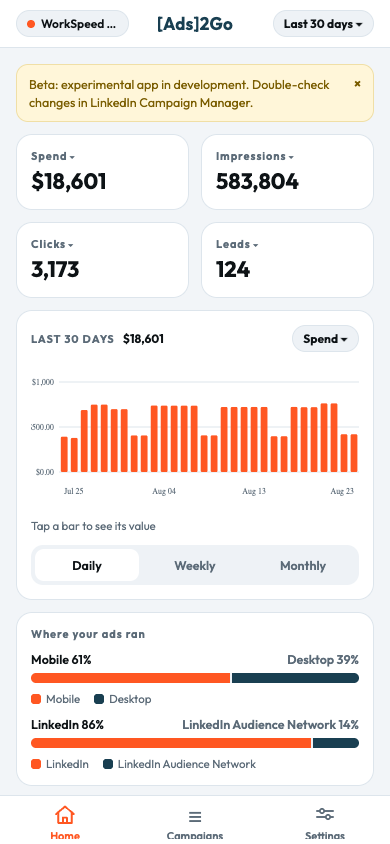
The 20% of Campaign Manager you need 80% of the time.
Built for marketers and agencies who live in LinkedIn Ads and shouldn't need a laptop to answer "how are we pacing?"
Pause and enable in seconds
Flip campaigns, ad sets, or ads on and off with a confirmation step, without opening Campaign Manager.
Delivery alerts
See when an account or ad set can't serve, like missing billing information, with a pointer to what to fix.
Safe by design
Sign in with LinkedIn. You see exactly the ad accounts your LinkedIn login can access, with view-only roles respected. Every change is double-checked before it's sent.
Your numbers, at a glance and your way
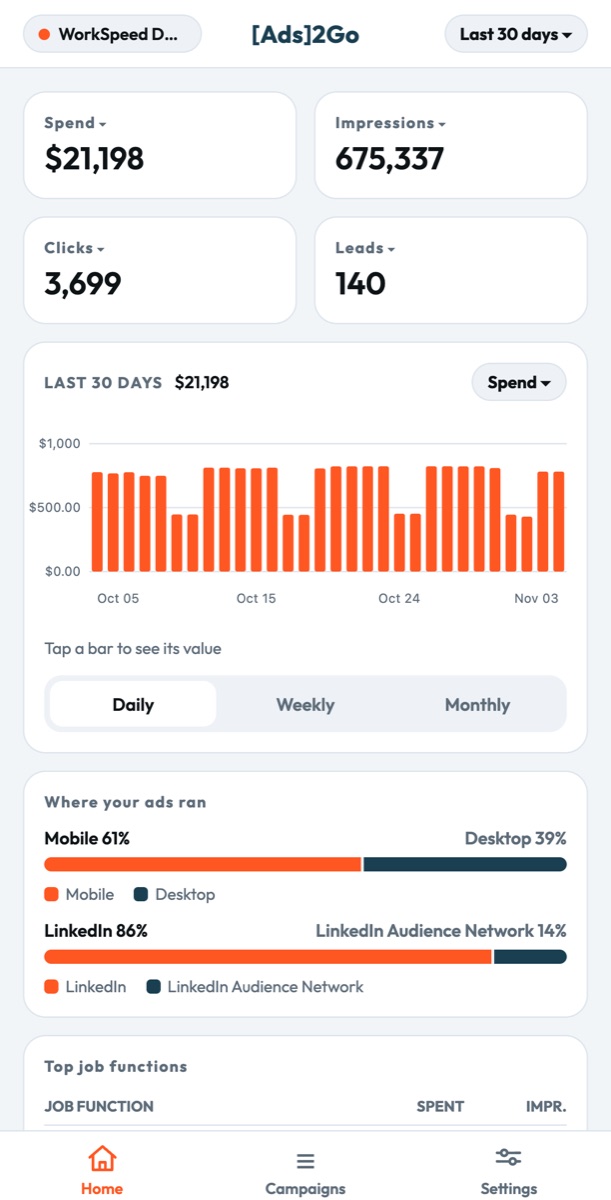
Every account, campaign, ad set and ad, with the metrics you actually care about.
- Spend, leads, CPL, CTR, reach, video views and daily trends
- Breakdowns by job function, seniority, industry, company size, device and network
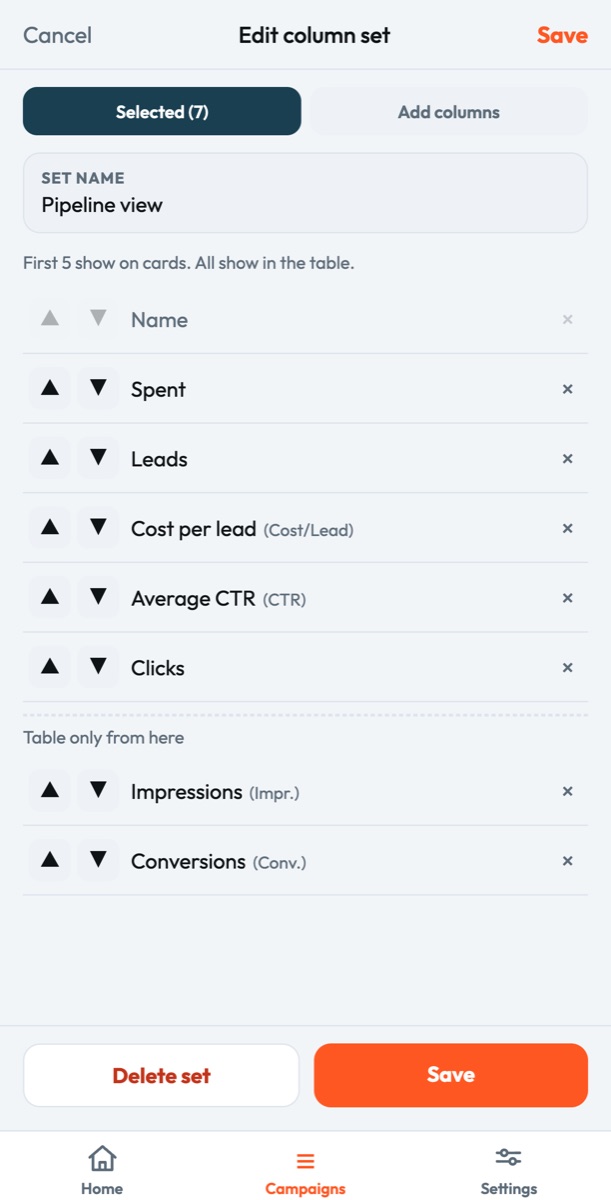
- Pick the metrics on cards and tables, save up to 10 custom column sets
- Sort by any column to find winners and losers fast
See the ad, not just the numbers
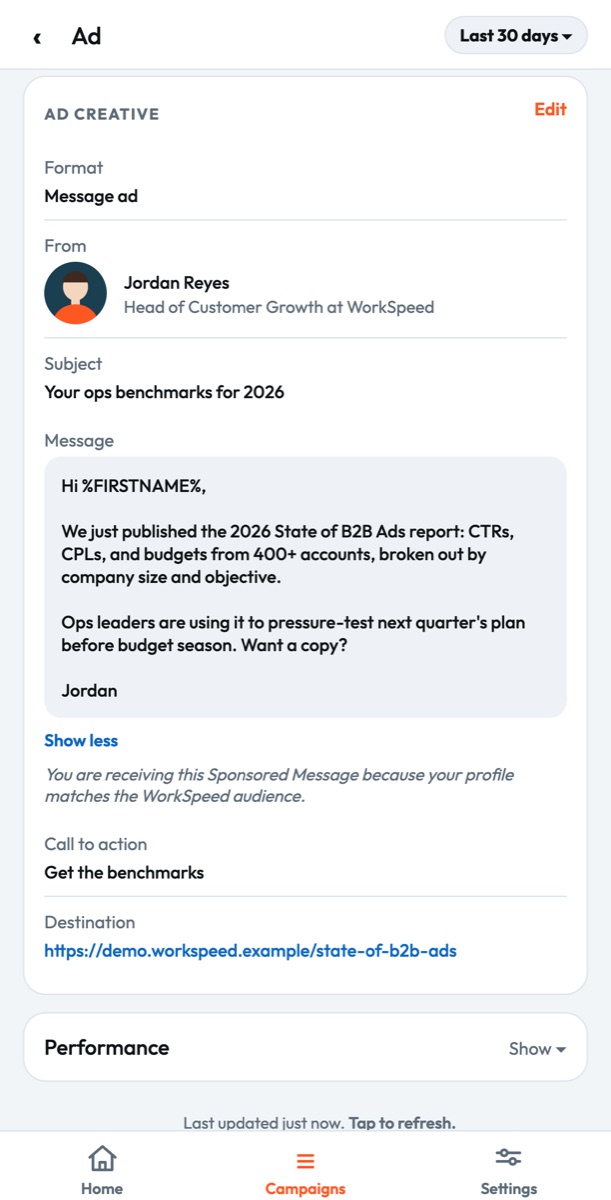
Open any ad and see exactly what your audience sees, next to how it's performing.
- The creative, intro text and headline in full
- Message ads show the sender, subject and the whole message
- Call to action and destination URL at a glance
- Rejected and in-review ads are clearly labeled
Change budgets and bids in seconds
Shift spend to what's working without waiting until you're back at your desk.
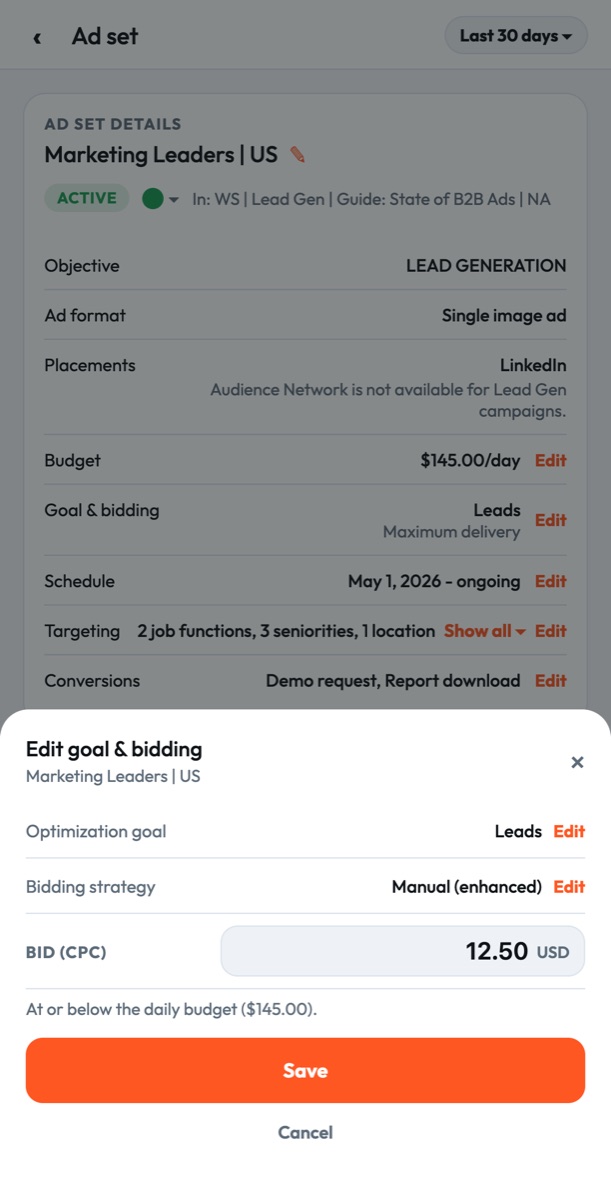
- Daily and lifetime budgets, start and end dates
- Optimization goal and bidding strategy
- LinkedIn's recommended bid range right next to your bid
- Turn the LinkedIn Audience Network on or off
Edit ad copy and links on the go
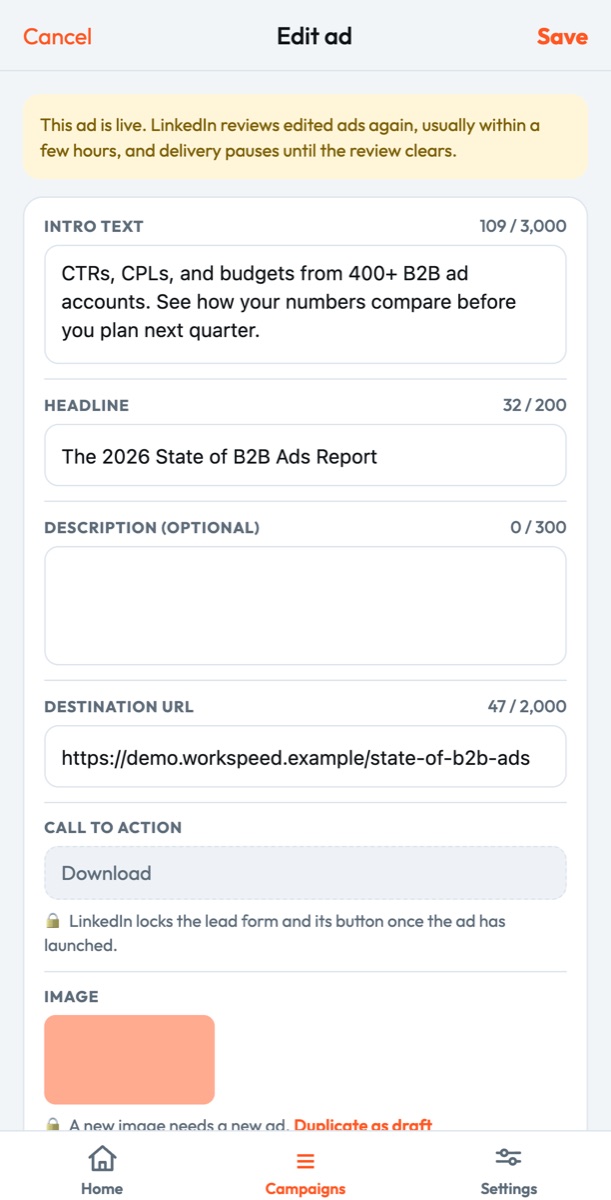
Spotted a typo or a broken link? Fix it from your phone in under a minute.
- Intro text, headlines and descriptions
- Destination URLs
- Call-to-action buttons
- Character counts that match LinkedIn's limits
Launch new campaigns and ads from your phone
Go from idea to live ad set without opening a laptop.
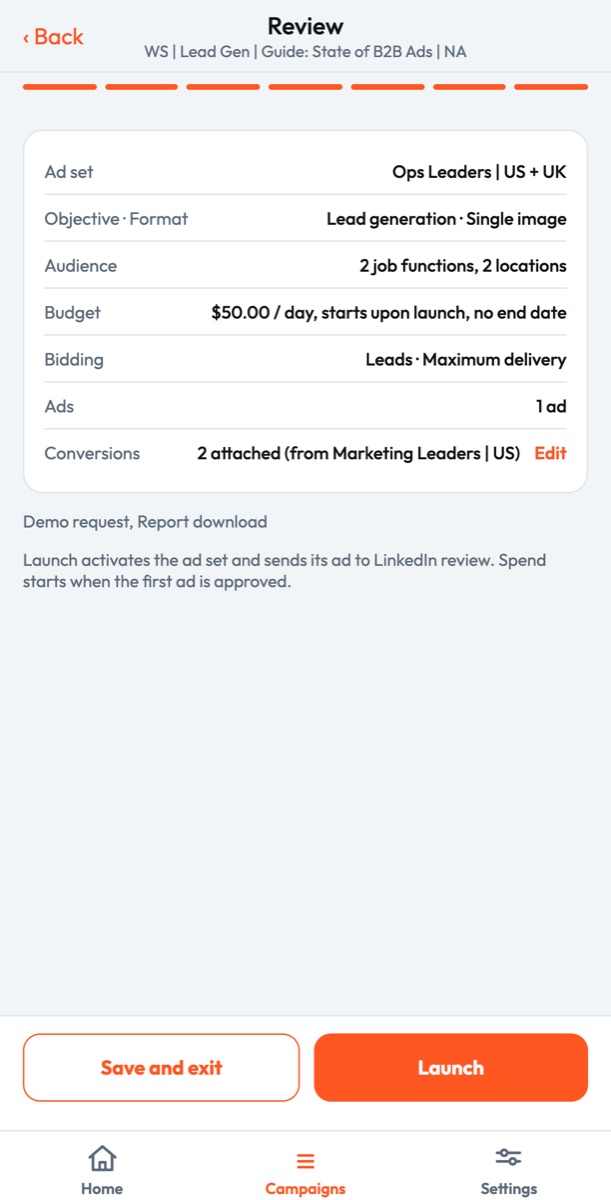
- Create campaigns and ad sets step by step
- Targeting, budget and schedule, bidding and conversion tracking
- Add ads, review everything, then launch
- Duplicate an existing ad as a draft in one tap
Kick the tires with a demo account.
Tap "View demo with sample data" on the login screen and explore the full app on a realistic sample account, WorkSpeed Demo. No login, no connection to your ad accounts, nothing to undo.
We're listening.
Ads2Go is in active development. The fastest way to shape it: use the feedback box in the app's Settings screen, it lands directly with the team. Prefer email? That works too.